
We are excited to add an upgraded search feature for our users! Log in to experience this streamlined course search and find exactly what you need in one place!
Log in and check out the new layout on your Personal Homepage, featuring all of the capabilities you’ve known and used for the past few decades. The biggest change is in our search feature. To access this, click on the Buy Courses tab at the top of the page.
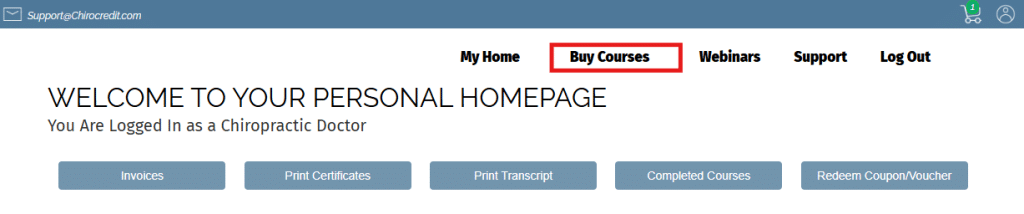
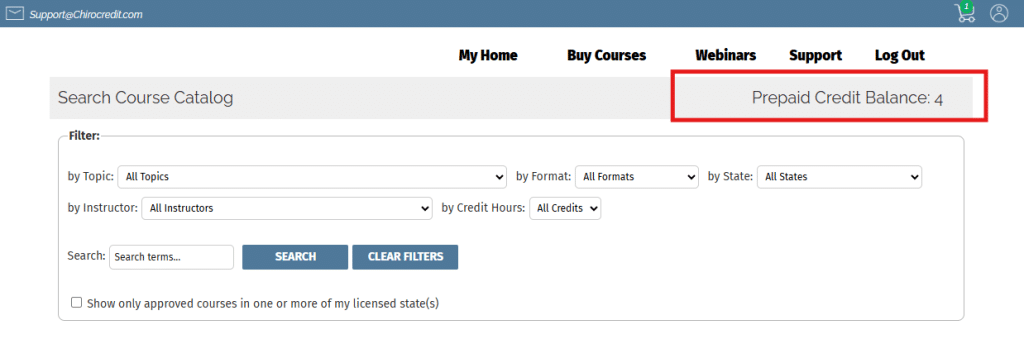
From there you will access our newly upgraded Search Course Catalog section.
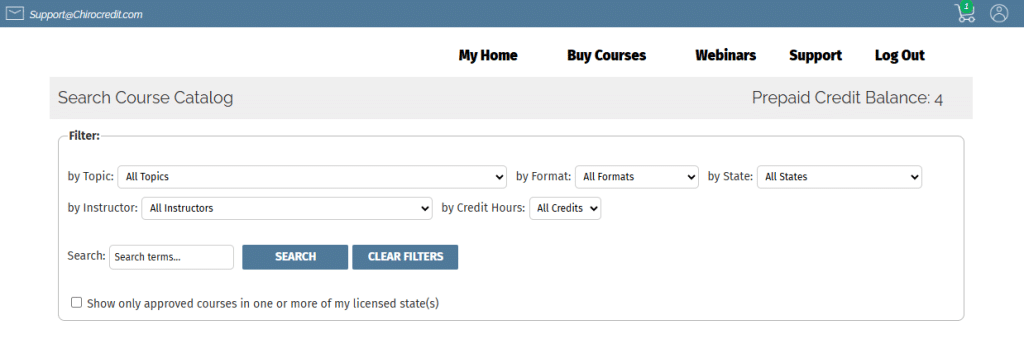
Here are some of the most commonly used features of the upgraded search:
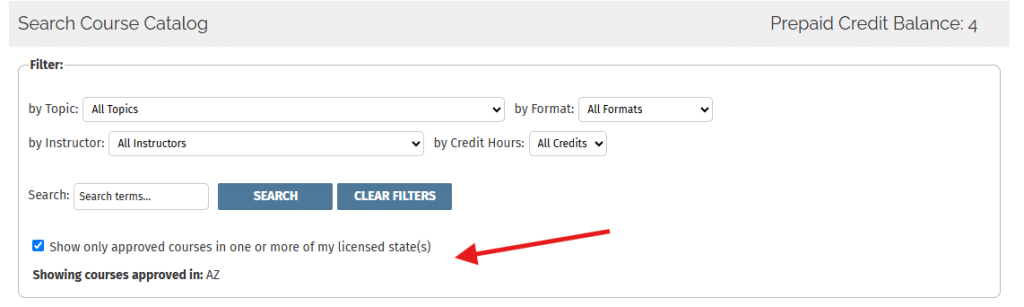
- Click on “Show only approved courses in one or more of my licensed state(s)” – this will reduce the list to only courses approved in one or more of the licensed states in your account.
OR
- Use the “by State” dropdown and select a state. ONLY courses approved in that state will populate the screen.
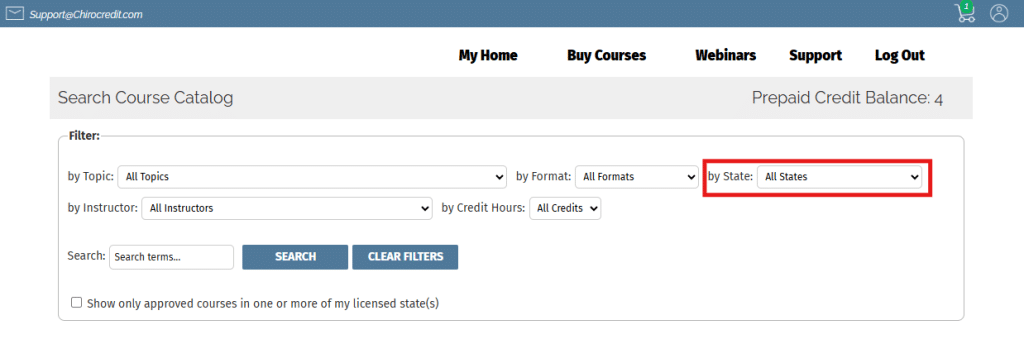
From there, you can use any other filter (e.g., format, instructor, etc.) and our system will automatically display only those courses that meet your criteria.
If you hover over the “Buy Courses” tab, there are still options to use “Search by States” that will allow you to select multiple states and only return courses approved in the states you selected. This search feature will be especially helpful if you are licensed in multiple states.
There is also a search for “Specially Priced Course Bundles” as well as the very popular option to “Purchase Discounted Prepaid Credits.”

If you have a Prepaid Credit balance in your account, this will display in both the shopping cart and on the top of the search page.
If you have a question, just ask! Email us at contact@chirocredit.com
